
Removed cnzz statistics from Deepin Store. Detailed statement: https://www.deepin.org/2018/07/20/statement-on-canceling-cnzz-statistics-in-the-deepin-app-store/

Deepin System Updates (2018.07.05)
Deepin File Manager was updated to version 4.5.6.2-1, fixed the issue that file cannot be deleted by draging it to trash on dock. deepin-wine was updated to version 2.18-14~rc1, fixed the wrong text direction in Wechat for Enterprise.

Deepin System Updates (2018.06.26)
System updates deepin-wine-helper was updated to version 1.1deepin12, fixed the folder occupying prompt when started QQ, TIM while the process did not quit completely. qt5dxcb plugin was updated to version 1.1.9.1-1, decreased the CPU usage when resizing the window. Application updates Aliwangwang was updated to version 9.12.03Cdeepin0, fixed no icon problem when installed from deepin ISO. Deepin File Manager was updated to version 4.5.6.1-1, optimized the file icon on HiDPI screen. Applications packed in Crosseover was migrated to deepin-wine, including 360 ZIP, WinRAR, AAA Logo, QQ for Enterprise, Qianniu, foobar2000.

deepin 15.6 - Great Improvements in the Details
deepin desktop edition works on notebooks and desktops, and aims at providing a stable, efficient and easy-to-use user experience. Its clean user interfaces and the convenient interactions reduces the browsing and searching time, allowing users to have more time to work and study. The new release - deepin 15.6, offers the delicated interfaces and easy-to-understand logics to help users start quickly. No matter which operating system was used before, you can get started easily. Compared with last edition deepin 15.5, deepin 15.6 mainly added disable display scaling function for HiDPI screens, left navigation bar and music cover plugin in Control ...Read more

Deepin System Updates (2018.05.24)
TIM was updated to version 2.0.0deepin3 & QQ was updated to version 8.9.19983deepin22: Fixed the issue that shortcuts of TIM and QQ were not shown in Control Center; Changed the original file selection window to Deepin File Manager dialog.
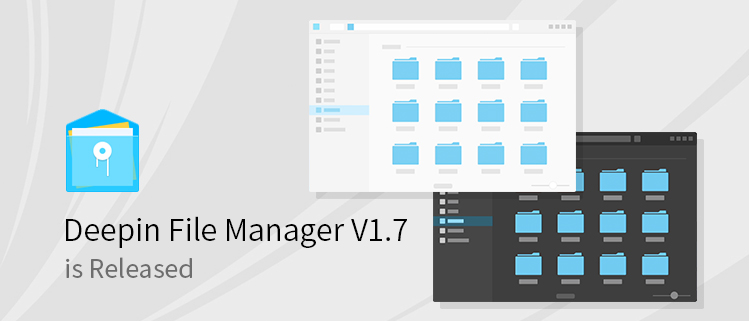
Deepin File Manager V1.7 is Released
Deepin File Manager V1.7 is a revision, which not only added some features, but also optimized the details and fixed bugs from user feedback. New features: Supported adding tag to file/folder; Supported pressing Ctrl+Z to undo last operations; Supported switching between light and dark theme; Supported video preview; Optimization: Optimized the interaction details, fixed the issue that the full file name cannot be seen in a small Deepin File Manager window; Optimized the interface details; Bugs Fixed: Fixed the issue that when there were many search results (had to scroll to display all), press Ctrl +A to delete all of them, but some results still exist. Fixed the issue that "Restore Defaults" in Settings did not work for ...Read more

Deepin System Updates (2018.05.14)
deepin-wine was updated to version 2.18-10: Fixed the issue of verison 2.18-8~rc4 that no flashing notification on the tray when there was a new message in Wechat or Wechat for Enterprise. Applications Updated: Akeychat was updated to version 2.1.14.2; Marea icon theme was updated to version 5.1.

Deepin System Updates (2018.05.03)
r8168-dkms was updated to version 8.045.08-3, supporting building on kernel 4.14.

Deepin System Updates (2018.04.28)
Marea icon theme was updated to version 5.0. Halo icon theme was updated to version 1.9.1. Wechat was updated to version 2.6.2.31deepin0. Wechat for Enterprise was updated to version 2.4.16.1347deepin0, which fixed the issue that its icon may not display on the tray. libgtk2.0 was updated to version 2.53.4-4 with dbg packages added.

Deepin System Updates (2018.04.24)
deepin-wine updated to version 2.18-8~rc2 Fixed the issue that the wine application window cannot take the focus when pressing Alt+Tab. Fixed the issue that the password cannot be entered through the numeric keypad in QQ and TIM. Removed the black borders around AliWangwang window when disable window effect in control center.